Simple task
A task that simply asks the participant to do something.




Onthen allows you to create onboarding 'plans' that you can send to customers, partners, prospects, or anyone else (we call them 'participants'). Each plan has a set of tasks that a participant needs to complete.
The Simple task action is the simplest form of task that just requires the user to click a button to complete the task. Use it where you need to confirm that some action elsewhere has been taken, or to confirm that something is understood, etc.
In Onthen, open the template you want to add a simple task step into.
In the section you want to add the task, click Add task. Select Onthen / Simple task as the task type. Add a description, due date, etc. if you need. Click Add task to create the new task.
Tip: You'll need to add a good description to this task type as otherwise the participant won't know what they are expected to do.
That's it. There's nothing to configure for this task type so your plan is ready to test.
You can test the action by creating a new plan.
The quickest way to test this task action is to go to the list of plans after you've created the new plan, and click its name to open it as the user.
Once you're in the plan and click into the new task you'll see a page where you can read the description and complete the task:
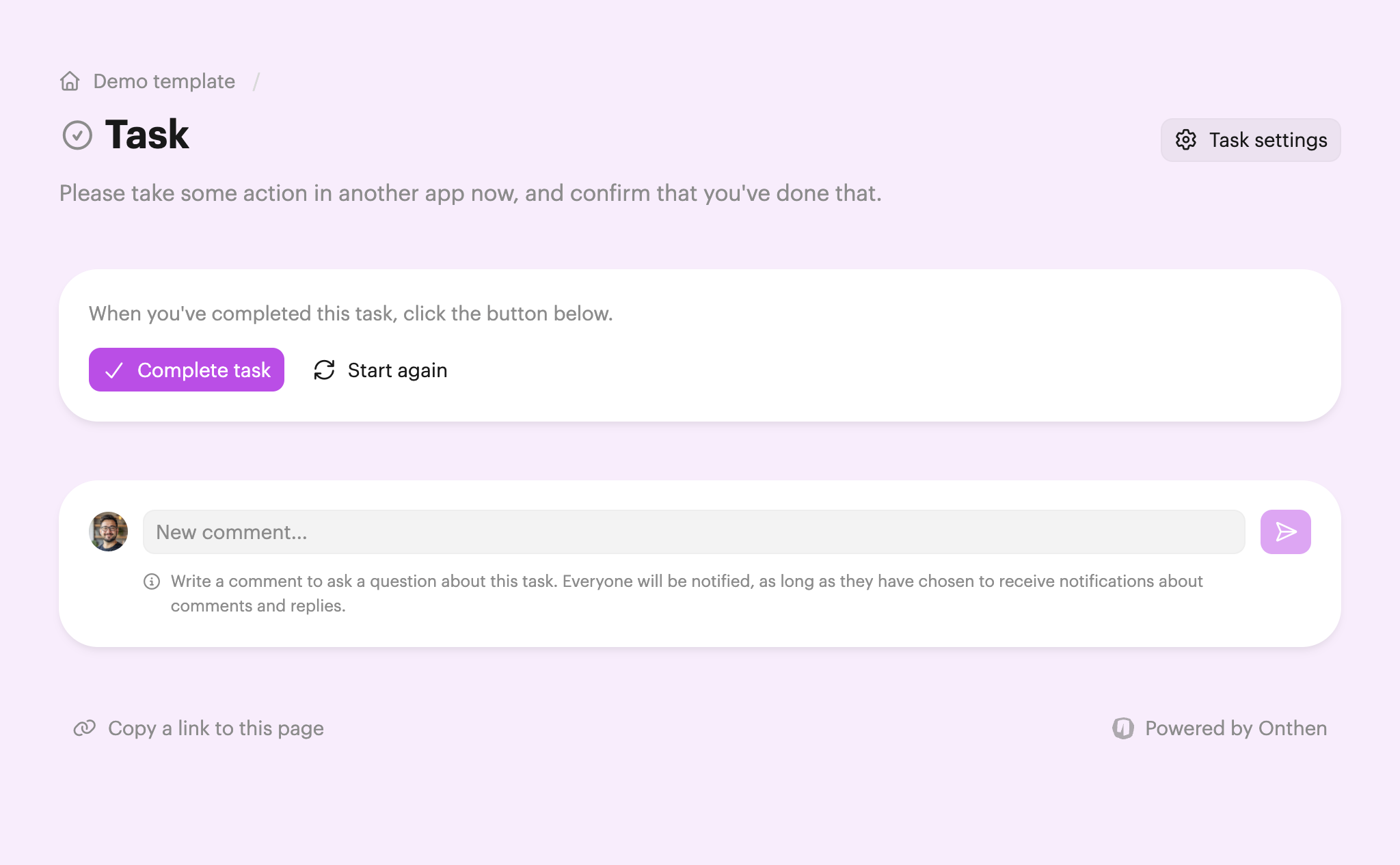
To complete the task, the participant just needs to click Complete task.
Both users and participants can click back into the task page after this to see the date/time that the task was complete (and by whom). Users can also see this information on the task summary page.