 John Jackson
If you have both tasks and content blocks on a page, they'll show side-by-side. By default, tasks show on the left, with blocks on the right.
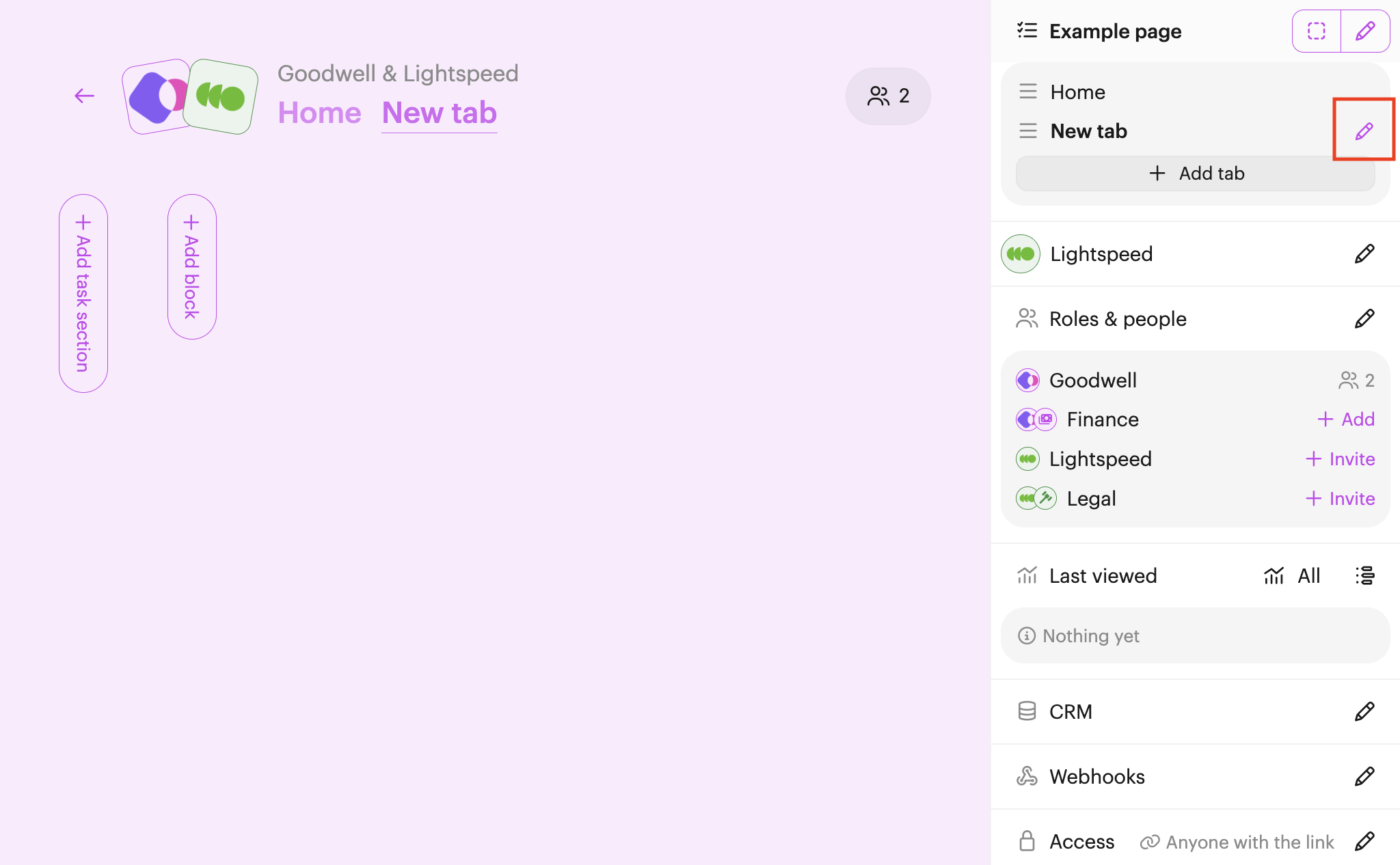
You can change this by navigating to the tab whose layout you want to change, clicking Edit (pencil icon) next to the tab name in the right-hand side editor menu (tabs section, near the top).
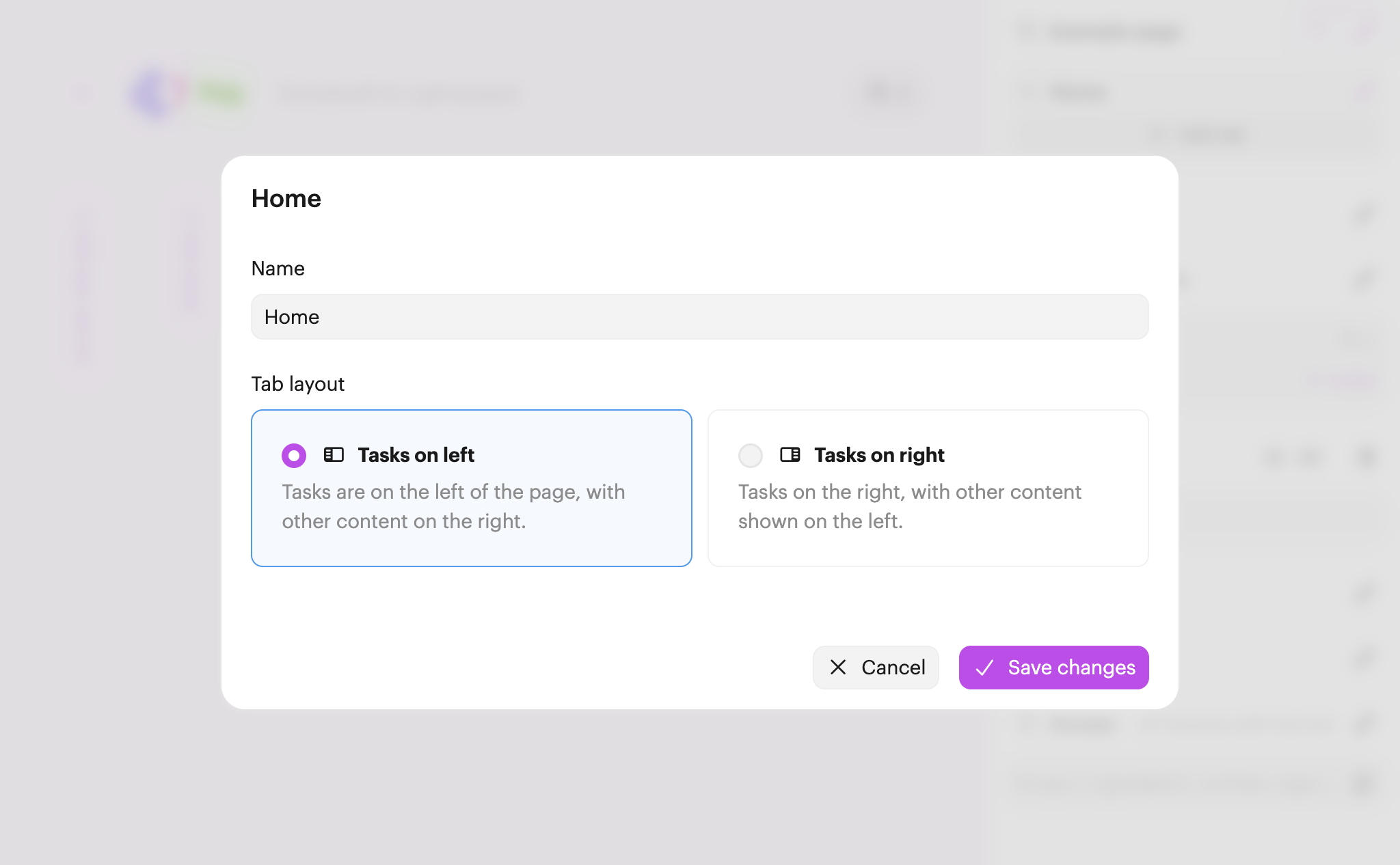
On the tab's settings page, choose the Tasks on the right option. Finally, make sure you Save changes.
Note: If you only have one type of content on a page (either tasks or blocks, but not both), then they'll expand to the full width of the page and this setting won't have any effect.
 Your branding
 Syncs with HubSpot
 Chases up for you