 John Jackson
If your page is linked to a CRM and you're using an Onthen native form block, you'll be able to sync form fields with CRM properties. This means that after the form is completed, the data in the field will be synced/copied to the linked property in the CRM.
Before you can select a property to link to, make sure the page is connected to your CRM.
In the form block, first add a form field, then click Field settings (under the more menu to the right-hand side of the field). You should now see an option to Sync with CRM property / field:
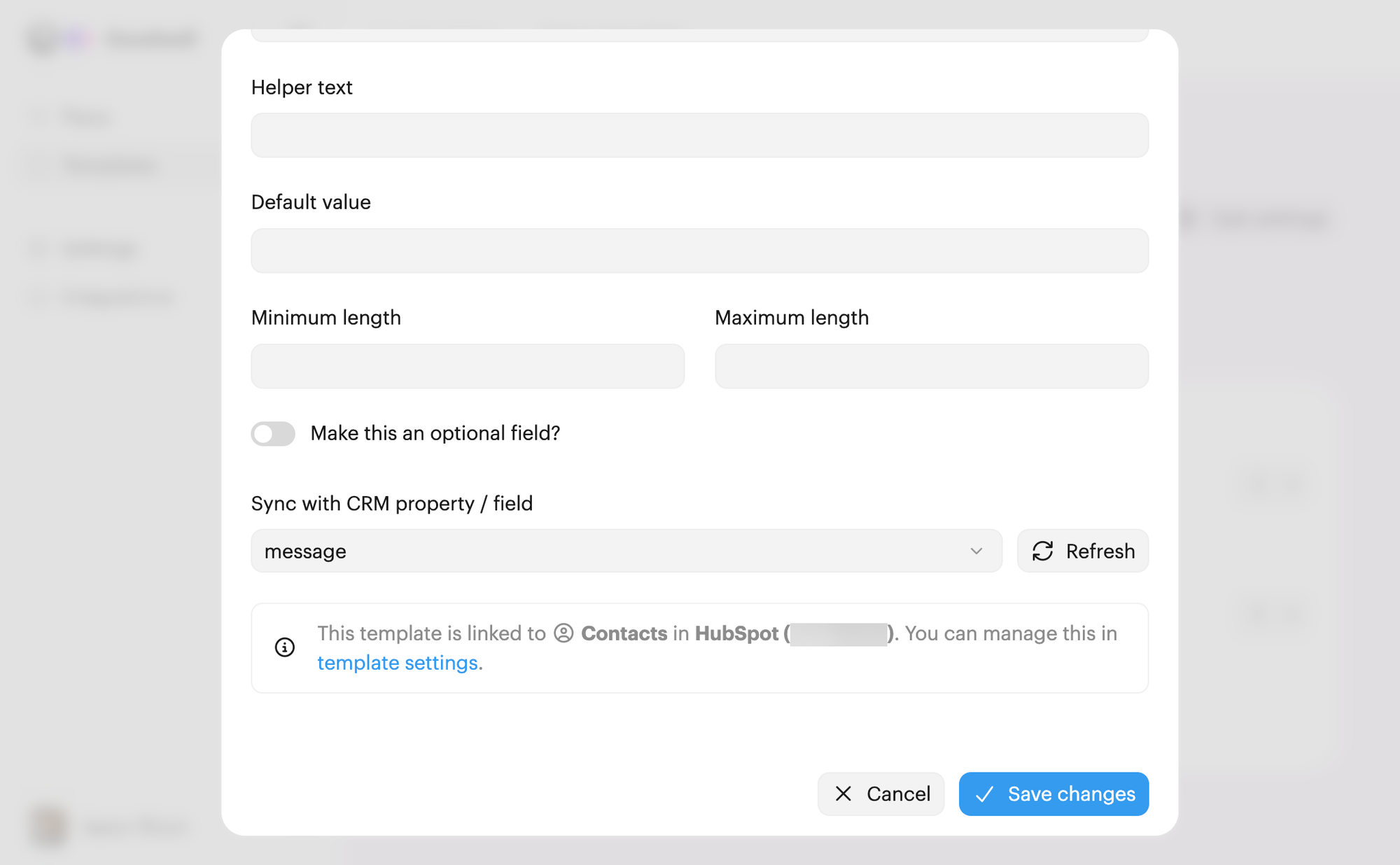
Select the CRM property you want to link, and then click Save changes to apply the change.
Tip: If you add or rename form fields in your CRM, we'll periodically reflect those changes in Onthen. But if you've made a change and need to see it immediately, click the Refresh button next to the property select box.

 Your branding
 Syncs with HubSpot
 Chases up for you