 John Jackson
If a task is assigned, it can also be made private. This prevents the details of the task being viewed by others, but the task remains visible in the list so that others know there's a task.
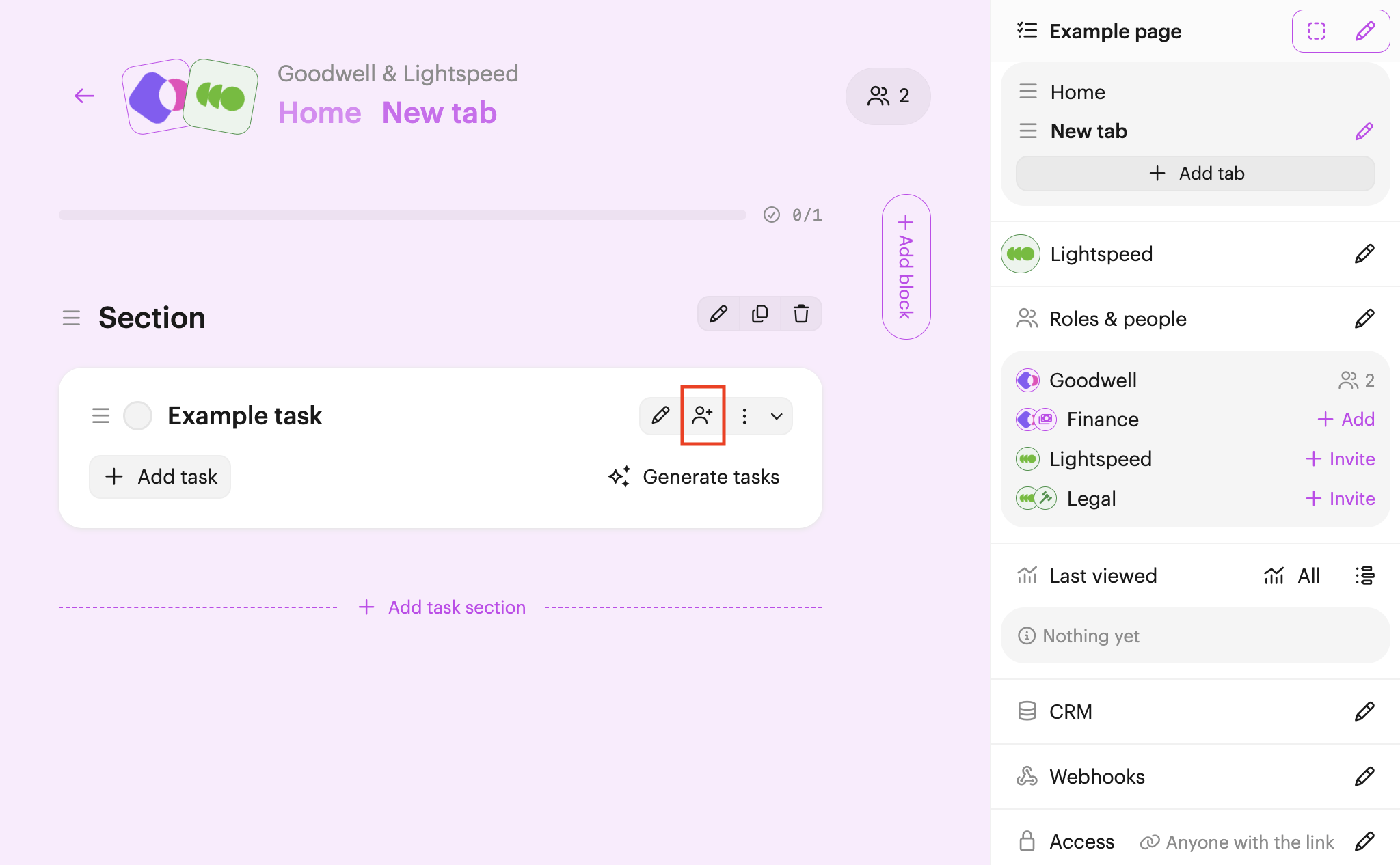
To make a task private, click Assign (user & plus icon, right-hand side) to open up the assignment options.
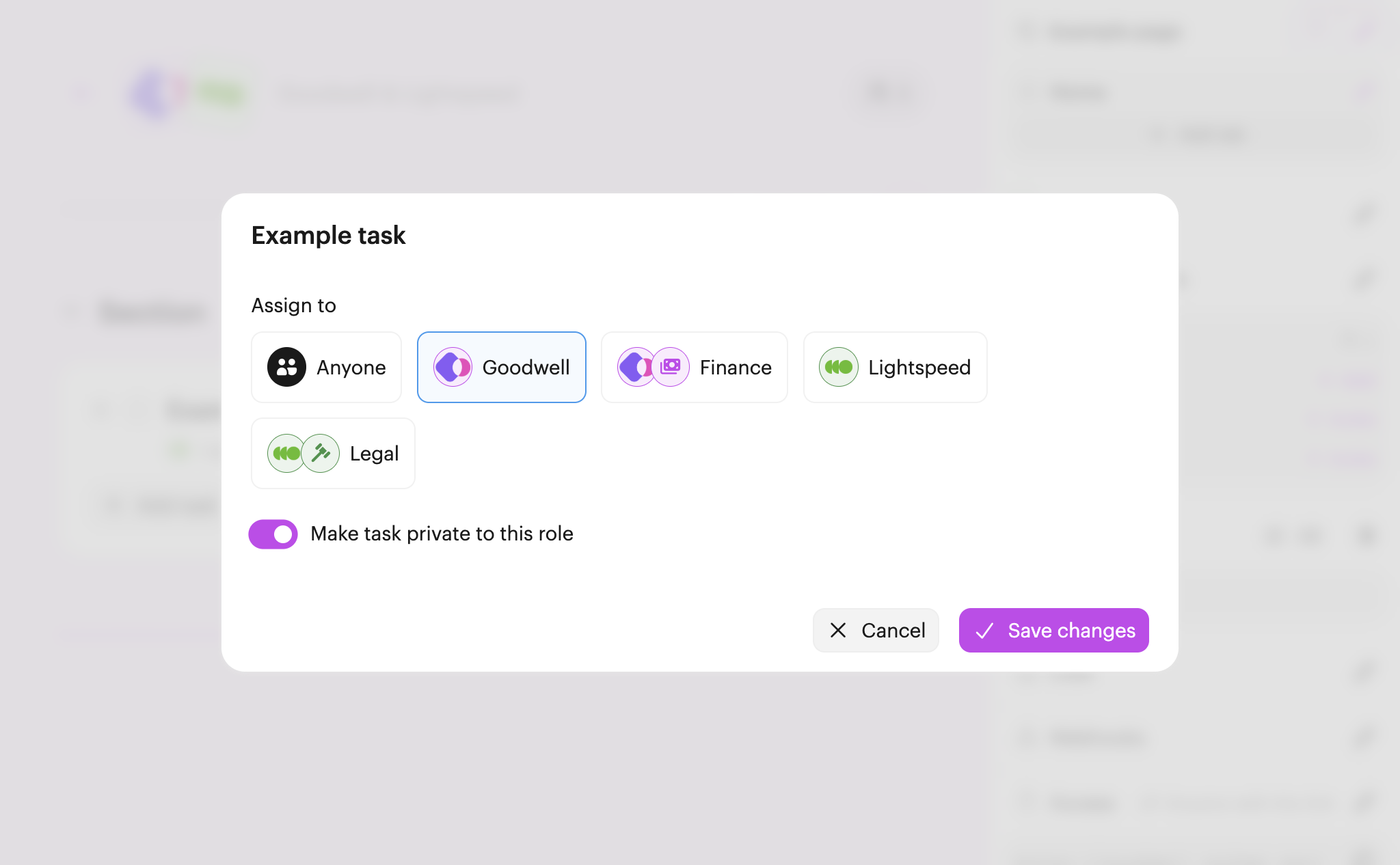
Toggle Make task private to this role. Then click Save changes to complete.
Now, when anyone else sees the task in the list (in this case anyone not in the internal team), they'll see a private task instead:
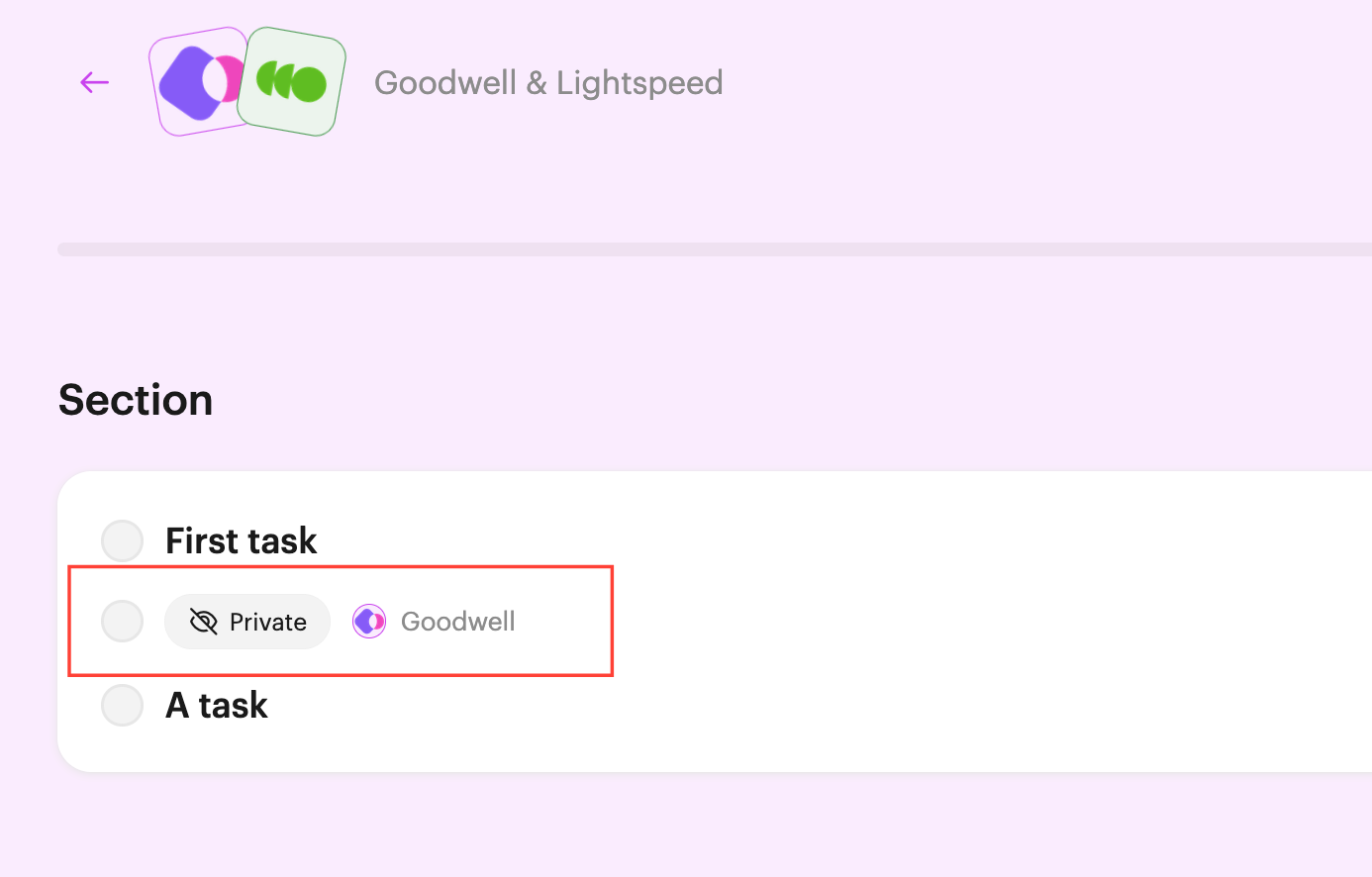
The task detail page can't be opened either.
Note: The only exception is the page owner, who can see the details of all tasks, even if they're private.

 Your branding
 Syncs with HubSpot
 Chases up for you