 John Jackson
Tasks can be completed by anyone in the page by default. You can restrict who can complete a task by assigning it.
Tasks can be assigned to:
- A named role on the page. You may like to read our guide to adding roles to the page.
- Any team member (for internal/team tasks).
- Any participant (for tasks that anyone on the invited team should complete).
Assign a task
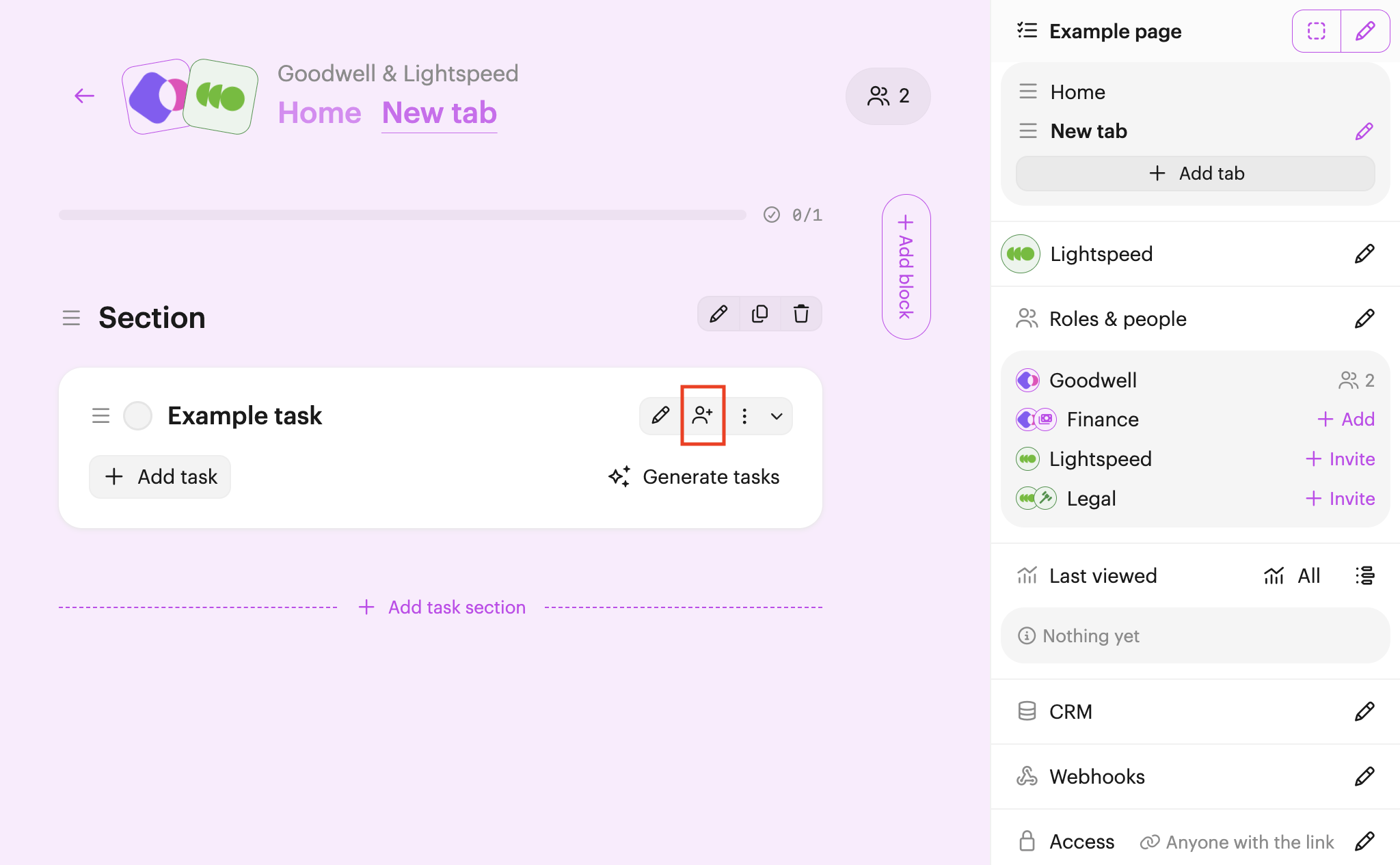
Find the task you want to assign, then click Assign (user & plus icon, right-hand side).
Select the team or the role you want to assign the task to, and finally click Save changes.
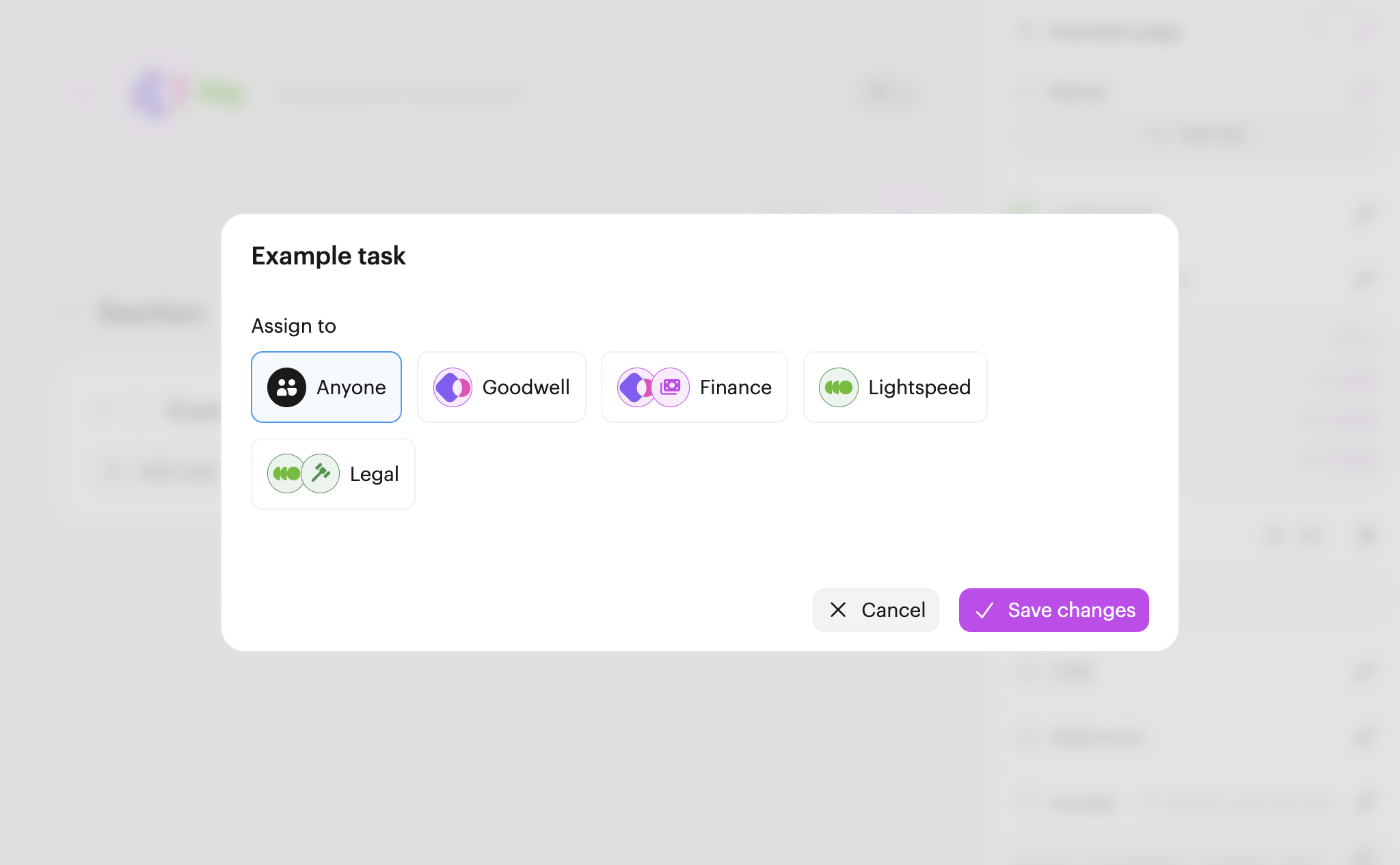
Now the task is assigned, only the assigned team or role can complete it.
Note: The only exception is the page owner, who can always complete tasks.
Note: Even though the task is now assigned, it's still visible to everyone unless you make it private as well.

 Your branding
 Syncs with HubSpot
 Chases up for you