
Complete form

Our complete form task allows you to build a form using standard fields (such as text, select, date, etc.) and ask your participants to fill it out.


Onthen allows you to create onboarding 'plans' that you can send to customers, partners, prospects, or anyone else (we call them 'participants'). Each plan has a set of tasks that a participant needs to complete.

Our Complete form task allows you to build a form using standard fields (such as text, select, date, etc.) and ask your participants to fill it out.

How it works

This task action is provided by Onthen and doesn't require any outside service.

You'll build the form in the template editor, and can select from a range of field types. You can set these fields to be required/optional, add a description (helper text), and set additional attributes based on the type of field (e.g., set a min/max amount for number fields).

In a live plan, the participant will simply be presented with the form and complete all the fields you expect.

If the plan is connected to a CRM, we'll save the values to the selected fields within the linked CRM object.

Add the task action

In Onthen, open the template you want to add a complete form step into.

In the section you want to add the task, click Add task. Select Onthen / Complete form as the task type. Add a description, due date, etc. if you need. Click Add task to create the new task.

When the task is saved, click on its name to configure it. You'll see a page like this:
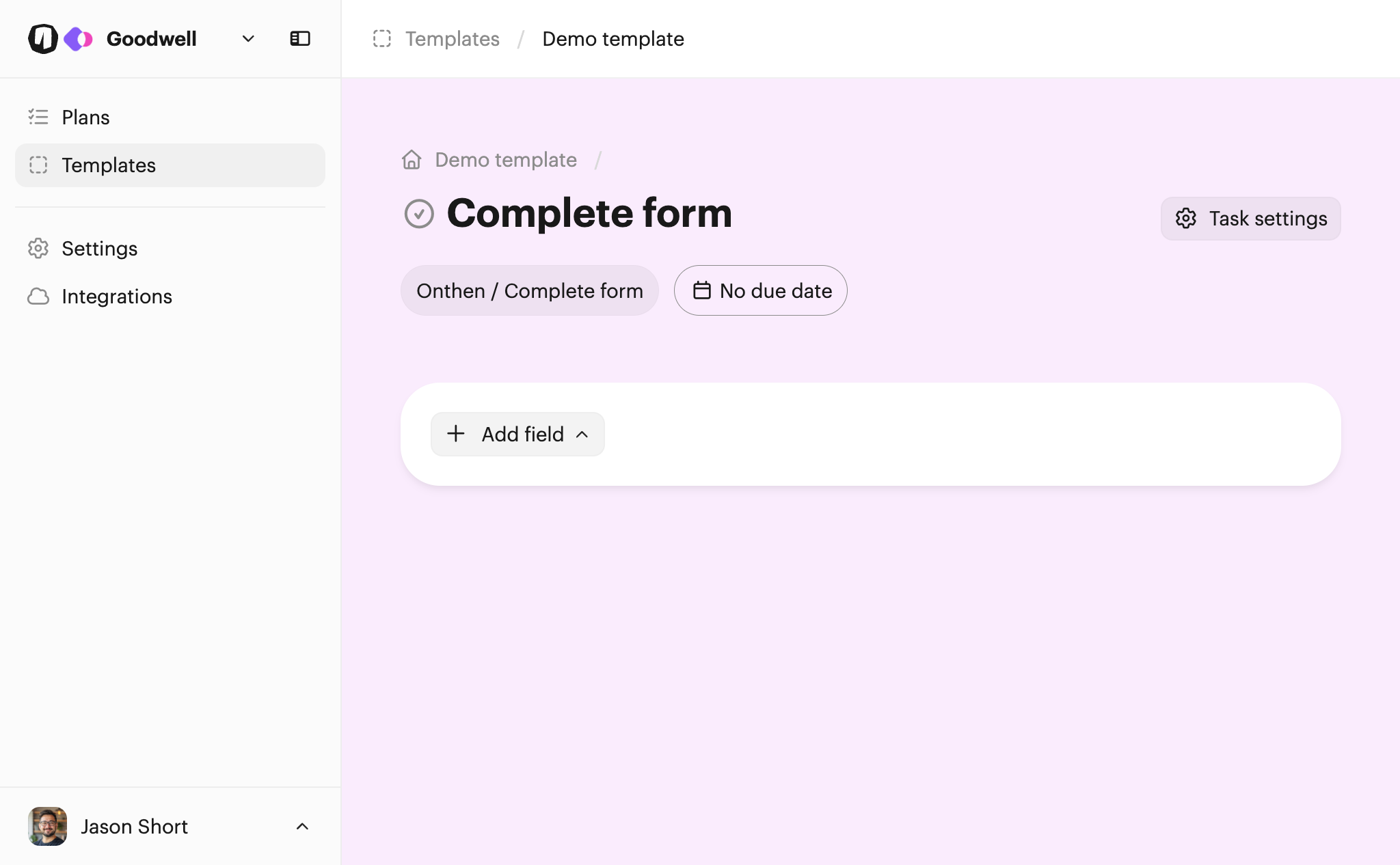
Now you can begin to build the form. Click Add field to choose a field type and create a field.

You can choose from these field types:

  • Text (single line text field)
  • Long text (multi-line text field)
  • Select
  • Number
  • Date
  • Switch
  • Checkbox

We'll add a simple text field first:
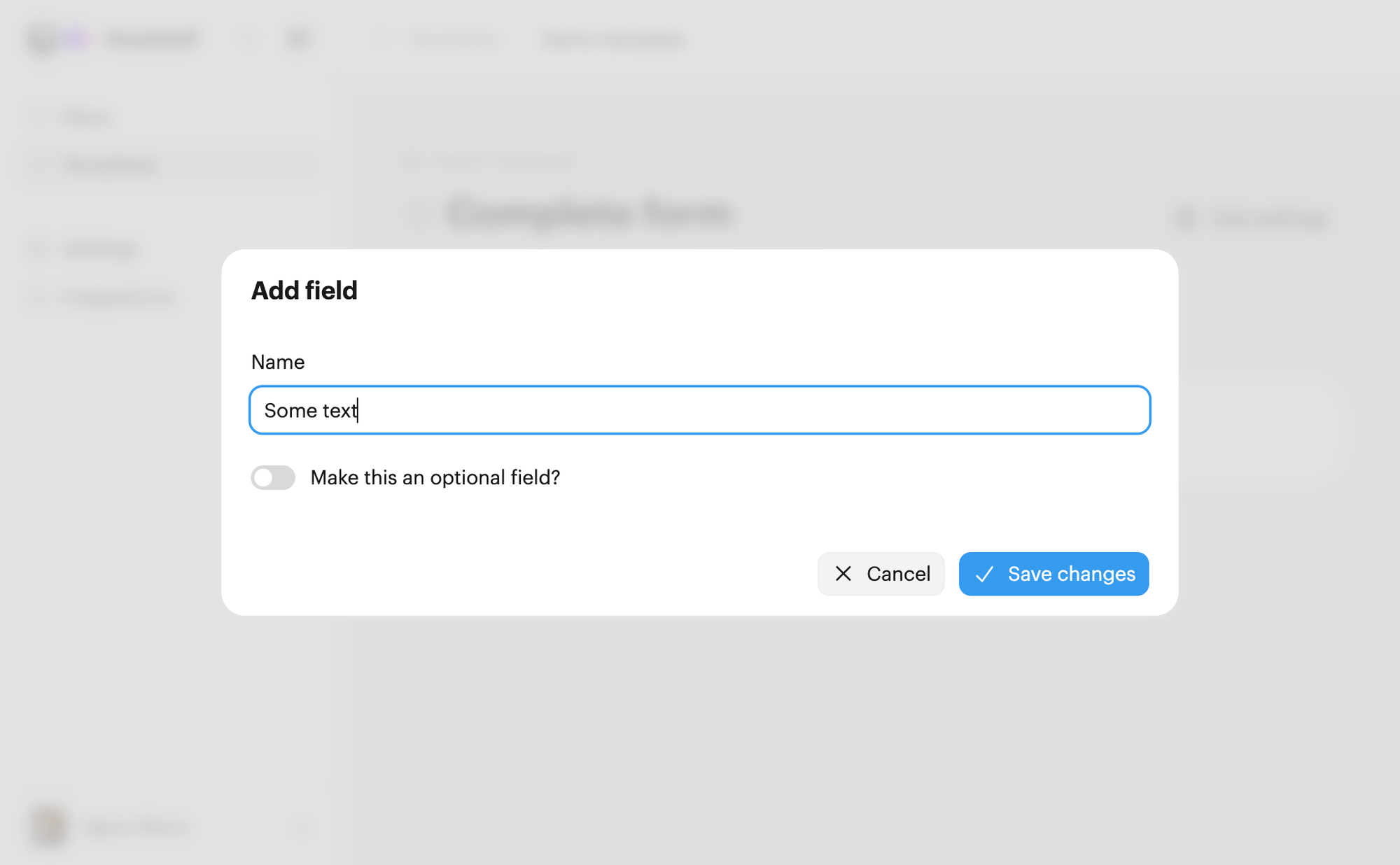
Type a name for the field type, and once that's done click Save changes. Now you'll see the field in the form:
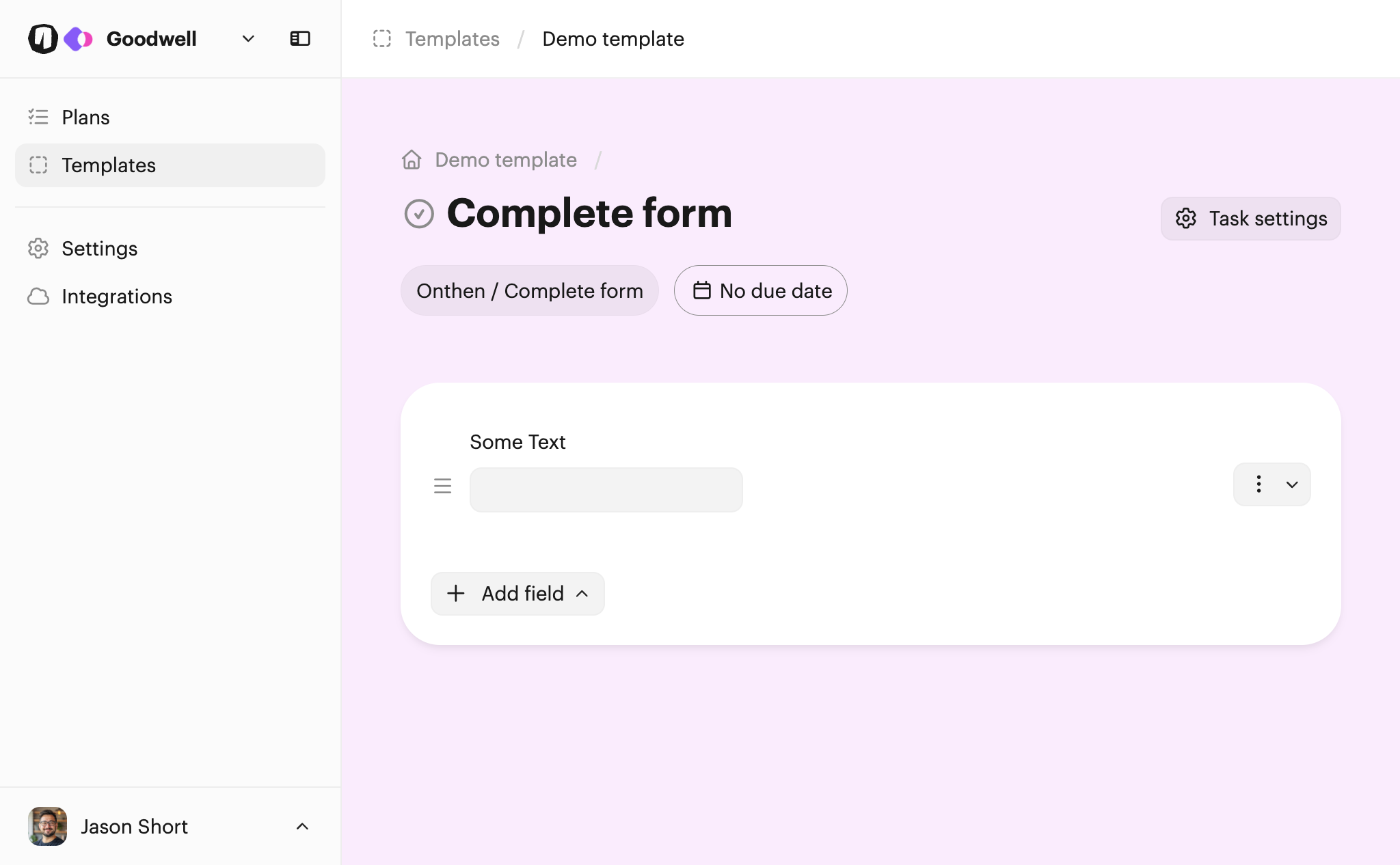
Now use the menu on the right of the field and click Field settings to configure it further. You'll see more options to update the field:
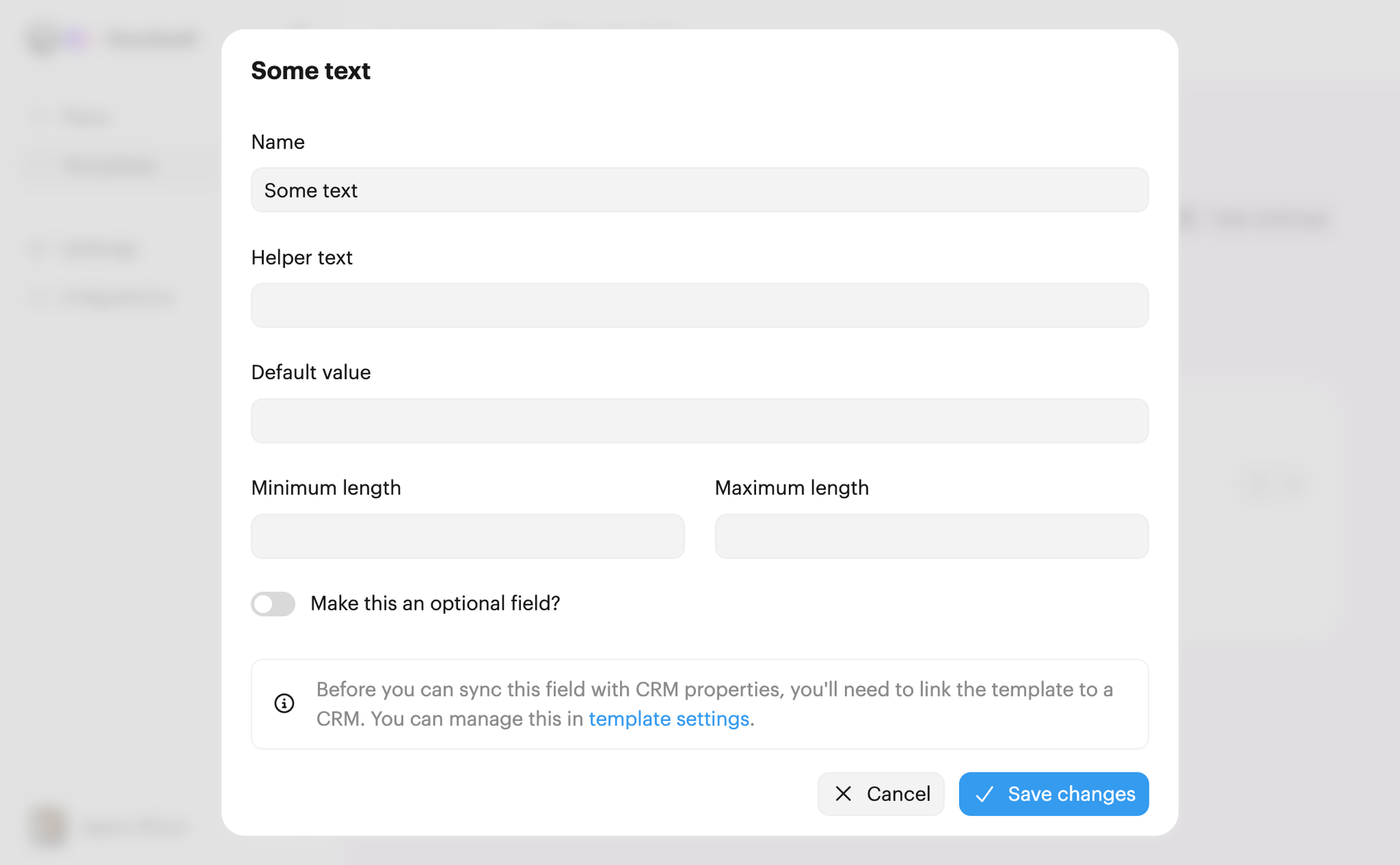
Click Save changes if everything looks good. Finally, we'll add a date field to complete this demo form:
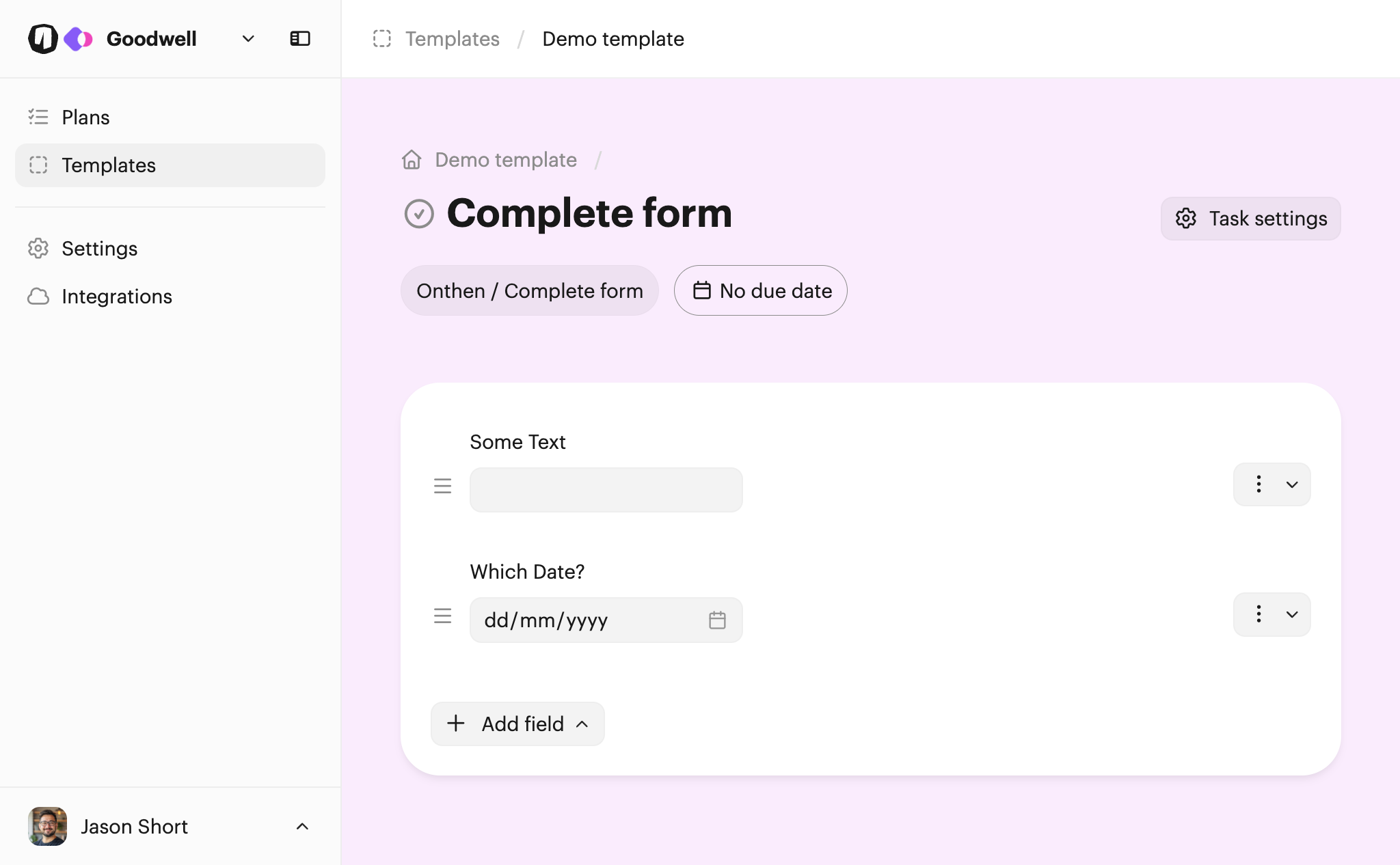
Tip: Drag and drop using the handles to the left of each field to change its order in the form.

Note: There's no need to manually save this type of task action. It's saved each time you make a change to it.

Connecting fields to the CRM

If your template is linked to a CRM object, you'll be able to sync fields with CRM properties. This means that after the participant completes the form, the data in the field will be synced/copied to the linked property in the CRM.

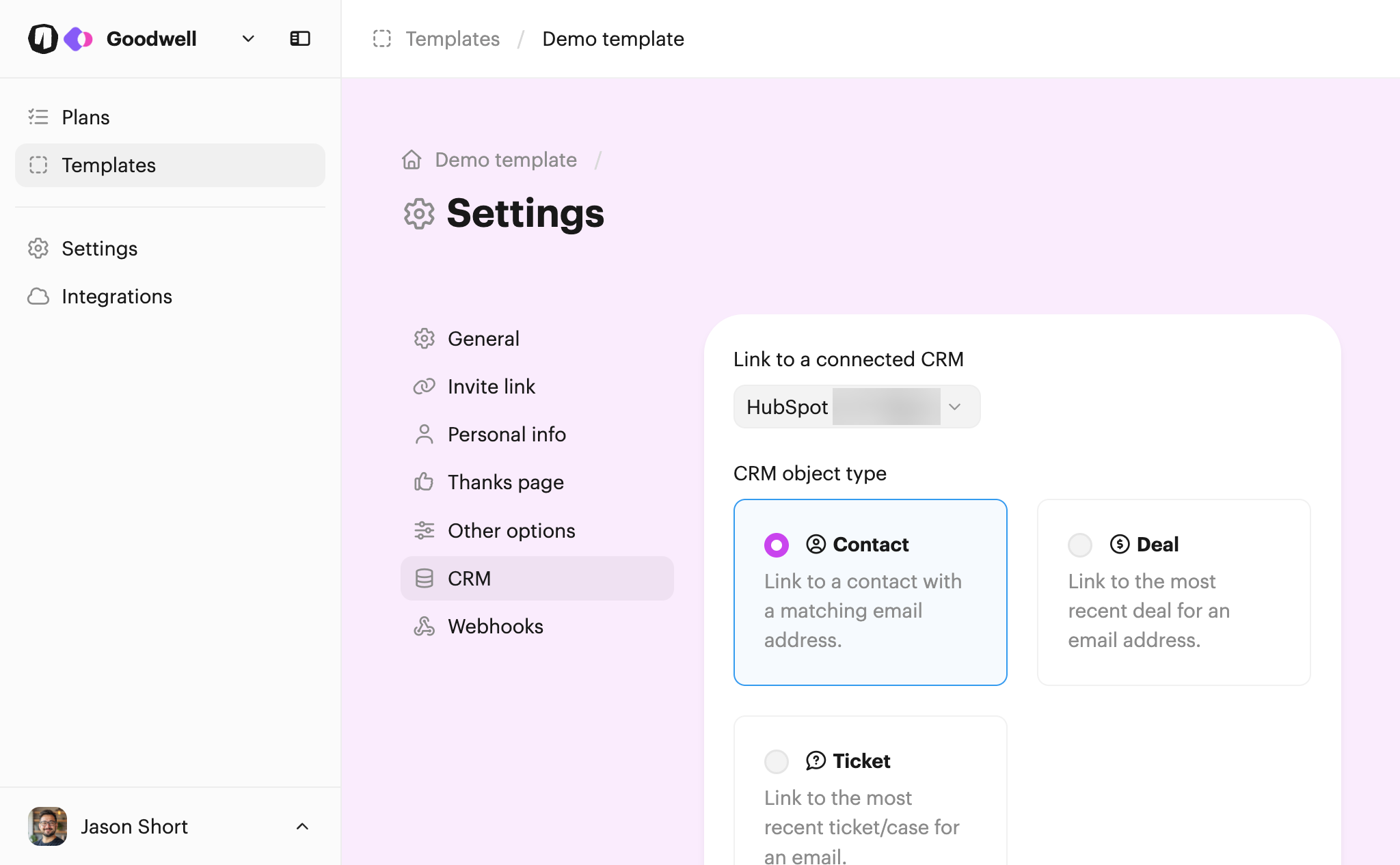
Before you can select a property to link to, make sure the template is connected to your CRM. Click Template settings on the main template page, select the CRM tab from the menu, and then link a CRM.

Once you've done that, the settings should look something like this:
Returning back to the form field, click Field settings again. You should now see an option to select a CRM property to link to the field:
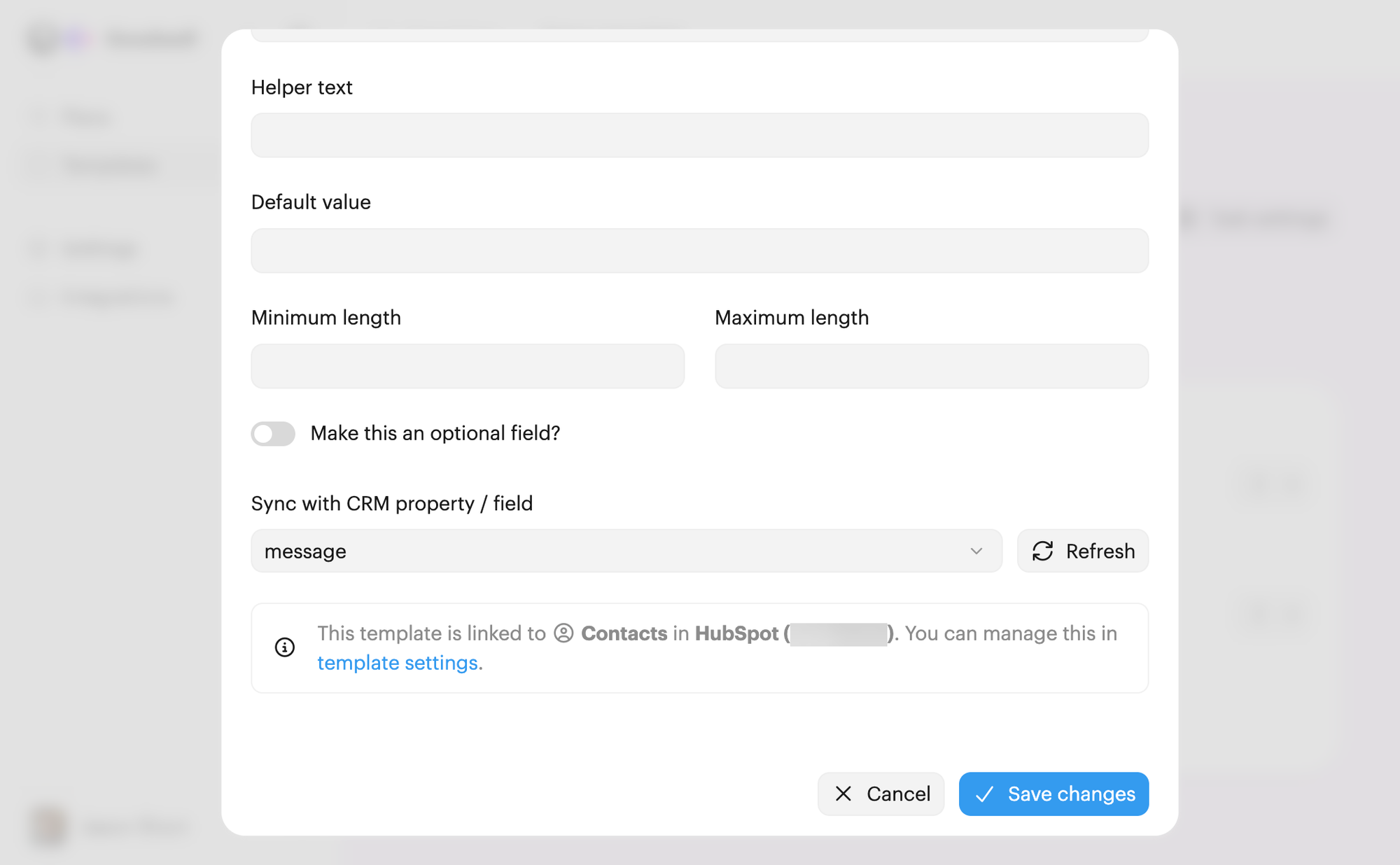
Do this for each of the form fields you want to sync to your CRM.

Tip: If you add or rename form fields in your CRM, we'll periodically reflect those changes in Onthen. But if you've made a change and need to see it immediately, click the Refresh button next to the property select box.

When all your fields are configured and linked to your CRM, we can now test the task.

Using the task action

You can test the action by creating a new plan.

The quickest way to test this task action is to go to the list of plans after you've created the new plan, and click its name to open it as the user.

Once you're in the plan and click into the new task you'll see the form:
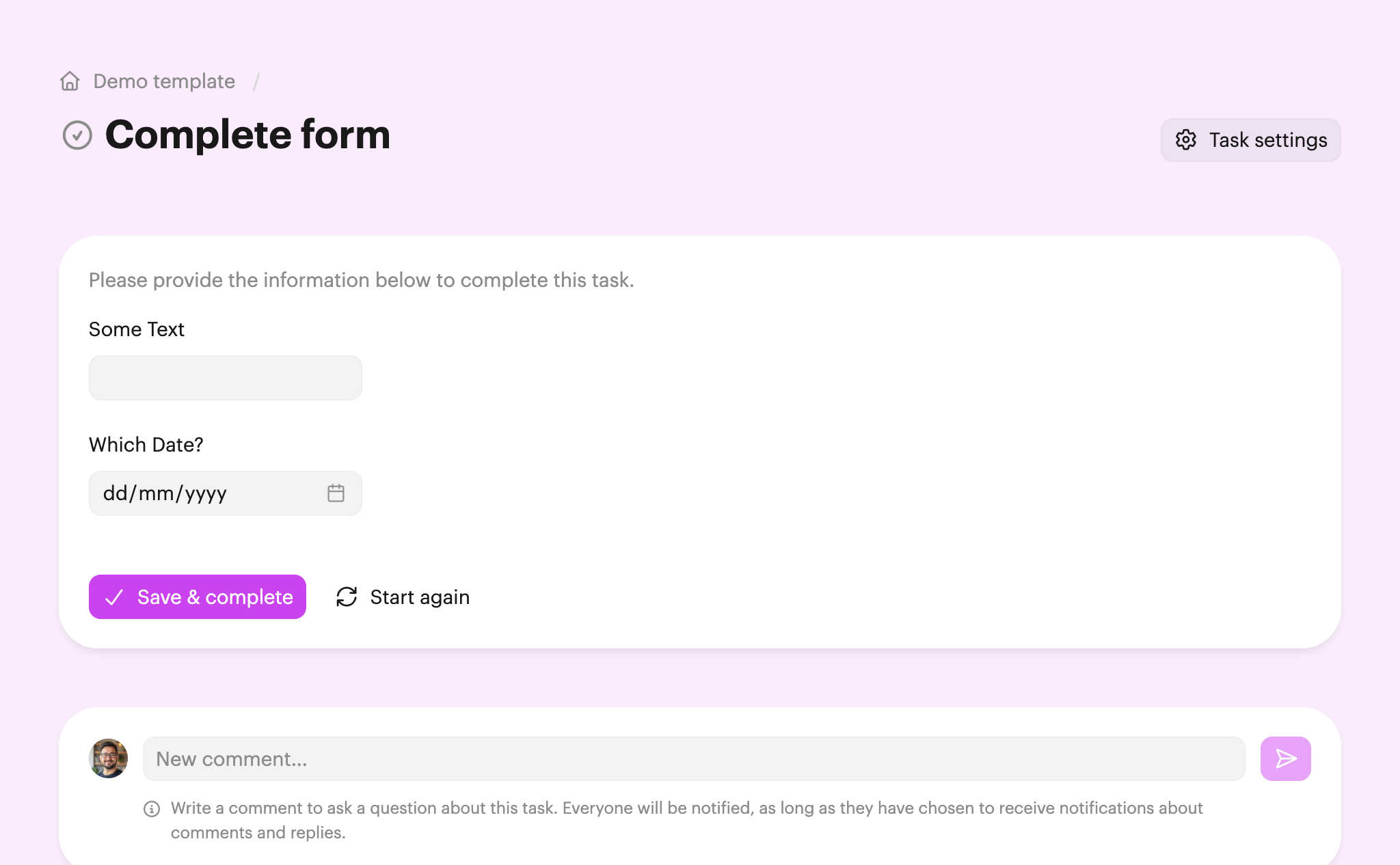
Once complete, anyone with access to the plan (participants or users) will be able to see the data that's been provided in the form:
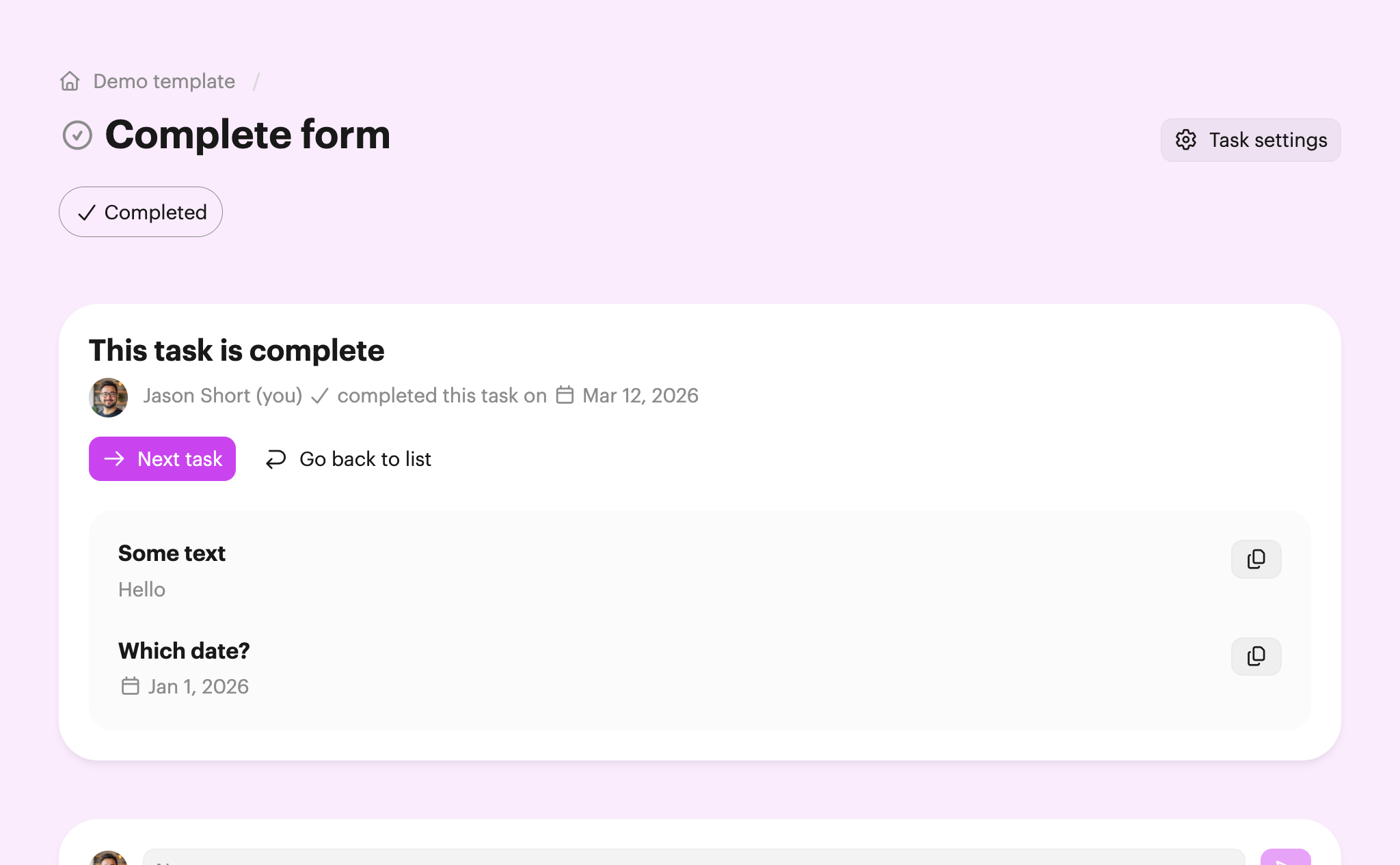
The information provided in the form will also show on the plan summary page for users.

CRM integration

If you've followed the steps above to link fields to CRM properties, then you should now see that the properties in the CRM have been filled with the values from the form:
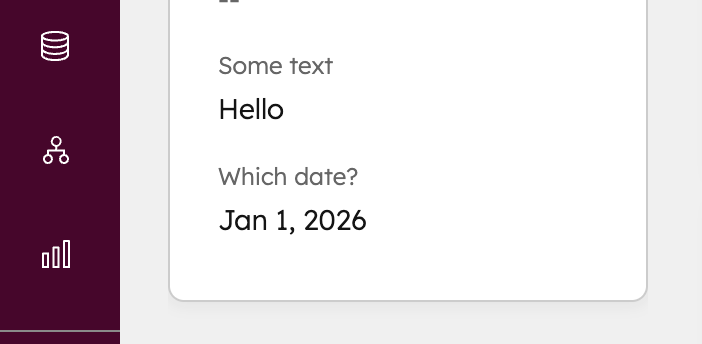
Note: If you don't see the properties, check that the plan is associated with a CRM object (Manage plan > Plan settings > CRM). Also check your inbox, as we'll send an email if there are problems syncing fields.
Checklists featuring Complete form

Our top onboarding templates that feature the complete form task.

Client Success

Wealth management onboarding

Wealth managers can send this checklist to new clients to manage the onboarding process. It covers initial discovery, fact-finding, signing agreements, compliance, and account setup.

Complete form Upload documents Docusign Docusign / Sign template Calendly Calendly / Book meeting
Human Resources

Pre-boarding and compliance

This checklist covers the essential operational steps required between contract execution and an employee's start date. It ensures all tax, identity, hardware, and legal requirements are fulfilled so they're fully prepared for day 1.

Complete form Sumsub Sumsub / Verify ID Docusign Docusign / Sign template
Client Success

Law firm client onboarding

This shareable onboarding plan can help your legal firm to manage the client onboarding process. Customize it to your needs, add your practice's branding, then send to each new client.

Complete form Upload documents Sumsub Sumsub / Verify ID Docusign Docusign / Sign template
Client Success

Wedding planning client onboarding

This checklist will guide wedding planners and clients through the onboarding process, helping you to gather all the necessary details to make your client's big day perfect. Bring calm to chaos, and show your clients you've got everything covered.

Complete form Open URL Docusign Docusign / Sign template Calendly Calendly / Book meeting
Vendors and Suppliers

Supplier risk assessment

This checklist ensures that new vendors meet all of your legal, ethical, and regulatory standards. Suppliers will be able to upload all the requested docs.

Complete form Upload documents Docusign Docusign / Sign template
Client Success

SEO client onboarding

This checklist will guide your SEO agency clients through the onboarding process, helping you to gather the necessary access and information. Makes the onboarding process easy for clients, and automated for you.

Complete form Upload documents Docusign Docusign / Sign template Calendly Calendly / Book meeting
Customer Success

Insurance agency onboarding

Insurance agencies or specialist insurance comparison firms can customize this onboarding checklist to help them to manage the policy comparison process. It takes an insurance lead from sales, through to finalizing policy activation, and completes the process with signature and payment. Customize it to your needs.

Complete form Upload documents Open URL Docusign Docusign / Sign template
Client Success

B2B client onboarding

B2B onboarding can be complex. Use this Onthen checklist to manage any B2B onboarding process easily. Save time, improve consistency, and stay compliant.

Complete form Upload documents Docusign Docusign / Sign template HubSpot HubSpot / Schedule meeting
Partner Relationships

Manufacturing client onboarding

Use this checklist to onboard new partners into your manufacturing business. It covers all the complex steps involved, such as covering the legal side, through to gathering technical docs, and making sure everything is signed off at the correct stages.

Complete form Upload documents Open URL Docusign Docusign / Sign template
Partner Relationships

Channel partner onboarding

This checklist can easily by copied into your Onthen team and edited to suit your needs. Use it for onboarding any type of channel partner into your business, such as VARs, distributors, systems integrators, etc.

Complete form Upload documents Open URL Docusign Docusign / Sign template
or
Create your onboarding plan

We'll do the hard work for you Takes less than a minute


How to use complete form in onboarding

What is Onthen?

Create an onboarding plan

Onthen lets any team create clear and simple onboarding to-do lists. It's the single source of truth for every kickoff.

Either let us generate a plan or browse our templates.

Add a complete form task

When you have an onboarding template, click Add task, choose the Complete form task action, and you're done.

Runs your onboarding for you

Invite people to your template and we'll guide them through the complete form task and all other tasks until their onboarding is complete.

We'll handle all the chasing up for you too, sending branded email reminders when tasks become overdue.


Which types of onboarding is complete form used in?

Onthen is flexible enough to handle any onboarding process, especially where it involves a complete form action. Use it to onboard employees, sign up new customers, or even to onboard existing customers or employees into new products or teams.

There are a few use cases where the complete form action might be used:


Packed with useful features

Powerful, modern dashboard

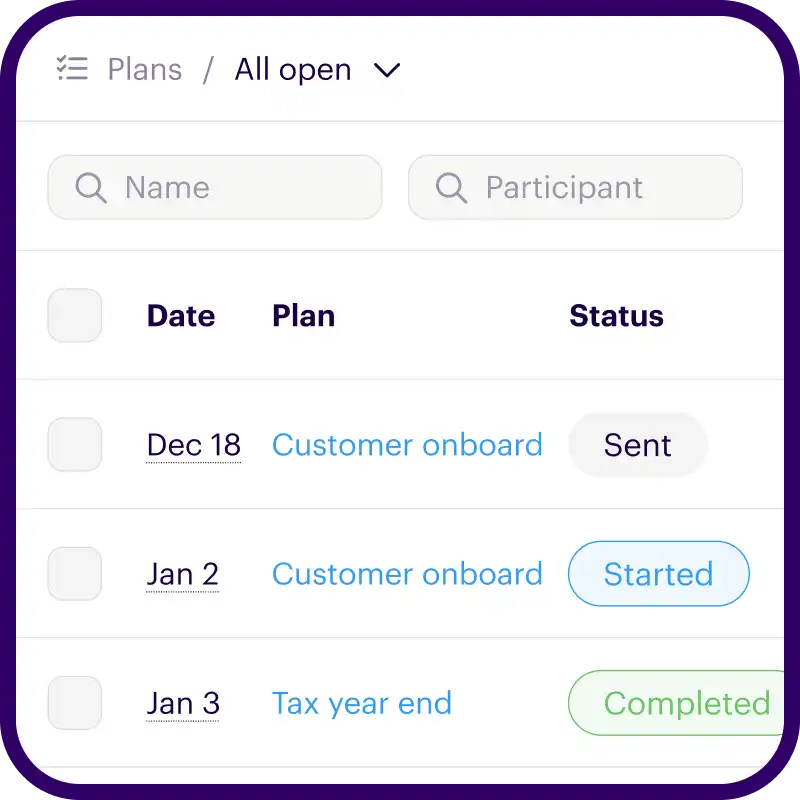
Flexible tools to manage your onboarding plans. Save views for frequent access. Customize columns, sort order, and filtering. Use bulk actions to update many rows at once.


Syncs with HubSpot

We bridge the gap by syncing every onboarding action back to your CRM timeline and custom fields. Works with contacts, deals, and tickets.

  • Manage onboarding plans with the App Card
  • Adds events to your timeline
  • Syncs uploaded files and photos

Your brand, everywhere

Every Onthen task page is fully branded so that it becomes a part of your business.

But we also brand the emails we send too, so every interaction with your task page makes the right first impression.

Create an onboarding with complete form

We'll do the hard work for you Takes less than a minute

Scale your onboarding, not your workload

Take the repetitive grunt work out of customer success and give every single client a custom-tailored kickoff on day one.

Everything in your brand. Including emails.

Syncs with HubSpot. Timeline, uploads, form fields.

Automates follow up. Reminders and weekly updates.

Learn about Onthen

Customer onboarding software that delivers