 John Jackson

The workplace has undergone serious changes in the last few years. Where at one time office life was the norm, now many companies allow employees to work remotely or offer a hybrid arrangement.
From an HR perspective, this has made certain aspects of the job more difficult, onboarding in particular.
However, technology has developed to make the onboarding process for remote employees seamless and effective.
In this guide, we explain how to onboard new employees remotely, talking you through the key steps, and exploring software and applications that can help make what can be a laborious and tedious process simple, quick and effective.
What is remote employee onboarding?
Remote employee onboarding is simply the process of welcoming, preparing, training and integrating new staff into the company when they work at home, or from a different location.
This includes paperwork and documentation, like the signing of contracts and ID verification, training on systems, policy guidance, and information on company culture and communication.
It helps to define clear goals from the remote onboarding process before you begin. This way, the new hire understands what's expected of them. In short, the process should seek to achieve the following:
- The new member of staff knows what to do and when to do it
- They can access everything they need in one place
- They feel supported from day one
- They become productive faster
Why remote onboarding needs a different approach
Onboarding in physical offices is generally easier. New staff can ask quick questions, observe others, and absorb information about the company culture from being in the environment.
A remote employee does not benefit from any of these things. They can easily feel lost and isolated if they don’t have someone they can call upon for help, and this would be deemed a failing of the onboarding process. It’s why standard processes won’t cut it. An altogether different mindset is required.
Other common issues a weak onboarding process can create include:
- Unstructured - scattered emails with tasks and documents can make the whole process feel disorganized
- Unclear ownership of onboarding steps - this can be a problem if multiple people are involved in welcoming a new hire
- Delays in collecting forms and information - the remote onboarding process should be clear and efficient
- Lack of visibility for managers and HR - new hires need people they can call upon if they have questions
- New hires unsure what to do next - this can leave a person demotivated
As you can see, a bad onboarding process can cause myriad problems which could see new hires leave, making the recruitment process expensive both in time and resources.
Remote onboarding vs in-office onboarding
How you structure your onboarding process depends on the working arrangement with the new hire.
There are pros and cons to both processes, but generally, remote onboarding requires everything to be planned and accessible in advance. If it isn’t, the process can feel disjointed, inefficient, and frustrating for new hires.
Here’s an overview of the key differences between the two processes, broken down by each stage of the process.
|
Area |
In-office onboarding |
Remote onboarding |
|
Paperwork |
Often completed in person |
Must be digital and easy to submit |
|
Introductions |
Happens naturally |
Must be scheduled intentionally |
|
IT setup |
Can be fixed at a desk |
Must be prepared before day one |
|
Culture |
Absorbed through office life |
Needs deliberate communication |
|
Questions |
Asked informally |
Need clear channels and owners |
|
Progress tracking |
Easier to observe |
Needs task tracking and reminders |
Remote employee onboarding checklist
If you’d like some extra help designing your remote onboarding process, we’ve put together a handy checklist that you can download for free here.

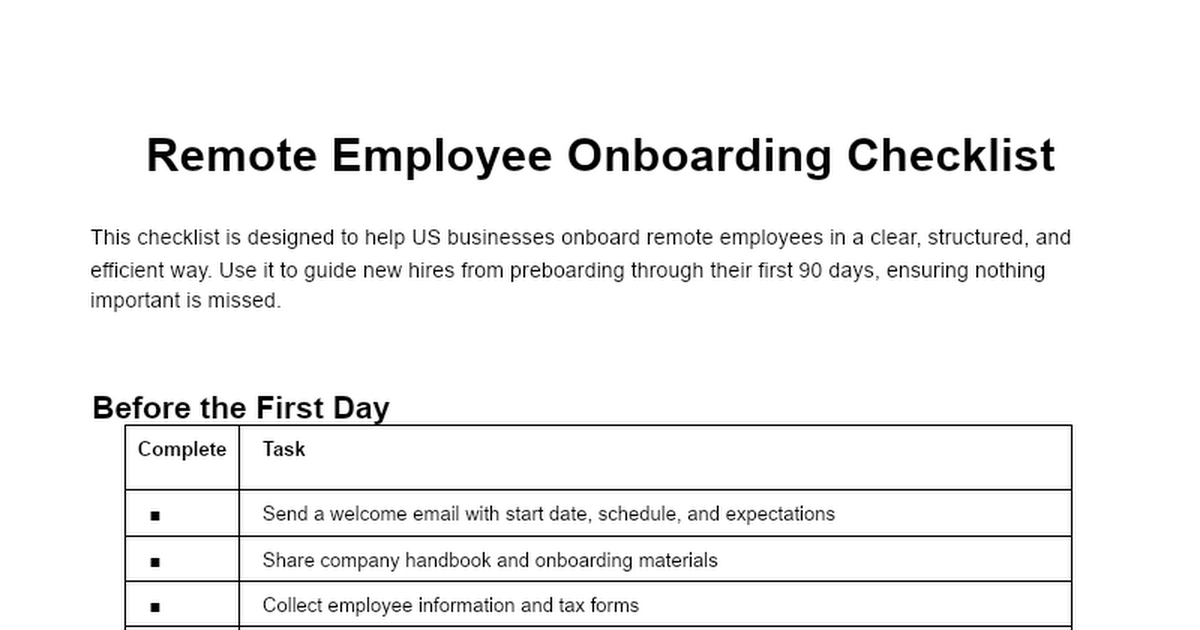
Our remote onboarding checklist provides guidance on what to do before your new hire joins, what to do on day one, in the first week, first month, and the first three months.
By using this free resource, you’ll have a solid foundation to build upon.
Step-by-step guide: How to onboard new employees remotely
Now it’s time to dive deeper into the process of onboarding a new employee remotely. In our experience, these are the best steps to follow.
Step 1: Build a repeatable remote onboarding workflow
Before you dive into any onboarding meetings, plan everything out. Make it a clear, repeatable process, documenting every step.
You can map out who can do specific tasks and build detailed templates for other people to use.
By adding this structure, you’ll save a mountain of time and achieve greater consistency across every new hire.
Step 2: Start onboarding before day one
The process of getting a new employee embedded into the company structure doesn’t start on their first day; there are certain steps that you can take beforehand.
Providing welcome materials is a great way to introduce a person to cultures and structures. You can also look to collect information at this stage, like ID information and references. By doing tasks like this, you free up the first few days to focus on training and getting used to the actual role.
Step 3: Give every new hire one clear place to go
When anyone starts a new job, they have a lot of information to absorb. To achieve the smoothest onboarding process possible, try to make it as simple as you can. One of the best ways to do this is to have everything they need in a single place, or as few places as possible.
This could be a shared folder, a document, or a hub on your CRM. By doing this, you’ll avoid any confusion and allow your new hire to build confidence.
Step 4: Collect employee information securely
One of the biggest challenges of remote onboarding is collecting information securely. Certain forms must be completed, and these can contain tax and bank details, as well as medical information. ID documents are also sensitive pieces of data that must be protected.
It’s best to use secure forms and emails to gather and transfer information securely.
Step 5: Complete identity and compliance checks
Linked to step 4 is the need for simple and effective identity and compliance checks. This can involve the likes of checking visas and right-to-work documentation, as well as getting copies of the likes of passports or driving licenses.
By making it clear what documents you need, you can avoid any delays in the remote onboarding process.
Step 6: Set up tools, accounts, and equipment
Given your employee’s role is going to be remote, you may have to supply them with the equipment they need to do their job. This can include laptops, phones and stationery.
It’s vital to prepare in advance and ensure everything is ready for your new hire’s first day.
Step 7: Create a human first day
It’s always daunting starting a new job, and doing so remotely can feel alienating. As a result, try to make the onboarding process as human as possible. You can do this through the likes of:
- A welcome call
- Introductions to key team members
- Time to ask questions
- Giving a clear overview of the role
A new hire who feels connected is a happy employee!
Step 8: Train the employee asynchronously and live
It’s important to bear in mind that onboarding is going to work differently for someone working remotely. As a result, different types of training need to be tweaked and changed.
For example, you could introduce some recorded video sessions for staff to watch and learn. Also ideal for you as it frees up your time.
Introducing questionnaires and quizzes can also make the onboarding process engaging, as well as help to measure their progress.
Step 9: Use automated reminders and manager check-ins
Managers are busy people — in and out of meetings, or tackling complex problems. It’s easy for them to lose track of a new hire’s progress, and that can cause frustration for the employee.
By using automated reminders and prompts, managers don’t miss key milestones, keeping the onboarding process smooth and on track.
Step 10: Measure and improve the process
No process is perfect, and it’s important to reflect on things and gather feedback on performance. If new hires are leaving soon after starting the job, you may need to ask some tough questions.
To dive deeper into what’s not working, but also what is, incorporate feedback forms, follow-ups, measure performance and individual growth and happiness.
It's also worth reading our guide to automating employee onboarding too.
Remote onboarding timeline
As part of the planning process, it helps to map each stage out with reference to times and durations. This way, you can plot a clear progression. If the new hire isn’t up to scratch by the time you get to the end of your process, it may indicate an issue in the set-up, or that the employee is simply not up to standard.
Here’s an overview of a potential onboarding timeline for the first three months of a remote employee’s job:
Before day one
- Send welcome information
- Collect forms and documents
- Set up systems and tools
Day one
- Welcome meeting
- Introductions
- Review of tasks and expectations
- Training on systems and policies and procedures
First week
- Complete onboarding tasks
- Begin training
- Hold check-ins
- Begin undertaking work tasks they’re trained to do
First 30 days
- Deepen the understanding of the role
- Begin meaningful work with greater trust and responsibility
- Receive ongoing feedback and support
First 60 to 90 days
- Assess performance and provide feedback in formal meetings
- Set long-term goals
- Gather onboarding feedback for future improvements
Common remote onboarding challenges and how to fix them
Onboarding remote workers can be fraught with difficulties. If systems and processes aren’t up to scratch, it can make the whole procedure a waste of time, and could even see the new hire quit their post.
We’ve already covered some of the main challenges with remote onboarding above, but below, you can find a comprehensive list, with advice on how to fix the issues.
- Isolation - this is perhaps the biggest issue. A remote hire can sometimes feel left to their own devices, and if they don’t have the knowledge and drive to take the initiative, then you may find you get little from them, and they might not be too happy either. The main solution to the problem is to schedule regular human interaction with the new hire. Connect them to the team with instant messaging, hold welcome calls, and involve them as much as possible.
- Disconnections - with everything done remotely, there’s always the chance that technology can fail. Internet connections may be unstable, and software may not work or require tweaking. The best way around this is to use trusted and reliable providers and to include contingency plans in your processes.
- Lack of supervision - when onboarding someone in the office, you can see them physically working, reading, and making notes. That isn’t possible with a remote employee. Instead, you could use software that tracks the progress of tasks, activities and challenges. This way, supervisors and managers can make quick checks.
- Poor communication - for remote staff, they don’t have the benefit of speaking to someone in person about what they want from a job. Instead, that information has to be communicated either over video calls, phone calls or text. If those communications aren’t clear enough, it can cause issues. To solve this problem, ensure all communication is done in one place, in clear terms and encourage questions if ever the new hire is uncertain.
How Onthen helps teams onboard new employees remotely
Onboarding new employees remotely presents a multitude of headaches. If your day is already busy, it can feel overwhelming. This doesn’t only impact you, but also the experience of new hires.
That’s why we created Onthen — to centralize and simplify every onboarding task. No longer do you need endless email chains or chasing up people to see if they’ve completed tasks. With Onthen, you can do it all in one place, from collecting key data to verifying identities and receiving secure document uploads.
Here's some of our HR (human resources) related checklists that you may find useful, but you can create your own instead if you prefer.


New hires get simple to-do lists that show what they need to do and by when. It also syncs with your CRM to keep feeding necessary data back, and integrates with a range of tools, like Calendly.
Better still, we offer a free option that lasts forever, so you can check it out and start using the platform today to cure those onboarding headaches.
Frequently asked questions (FAQ)
Below, you can find answers to some common questions on how to onboard new employees remotely.
How do you onboard new employees remotely?
Start before day one, provide a clear checklist, collect paperwork securely, set up tools, schedule manager check-ins, introduce the team, and track progress through the first 90 days.
What should be included in a remote onboarding checklist?
A remote onboarding checklist should include paperwork, identity checks, payroll details, benefits, equipment, software access, security training, company policies, role training, introductions, and manager check-ins.
How long should remote onboarding take?
Remote onboarding usually starts before the first day and continues through the first 30, 60, or 90 days, depending on the role and company.
How can companies make remote onboarding less confusing?
Companies can reduce confusion by giving new hires one clear place to complete tasks, upload documents, access training, and see what still needs to be done.
What tools are useful for remote onboarding?
Useful tools include onboarding software like Onthen, HR systems, payroll software, CRM tools, secure upload tools, identity verification, e-signature platforms, communication apps, and learning systems.
How do you make remote employees feel welcome?
Send a personal welcome message, schedule team introductions, assign a buddy, give the new hire a clear first-week plan, and maintain regular manager check-ins.

 Your branding
 Syncs with HubSpot
 Chases up for you